
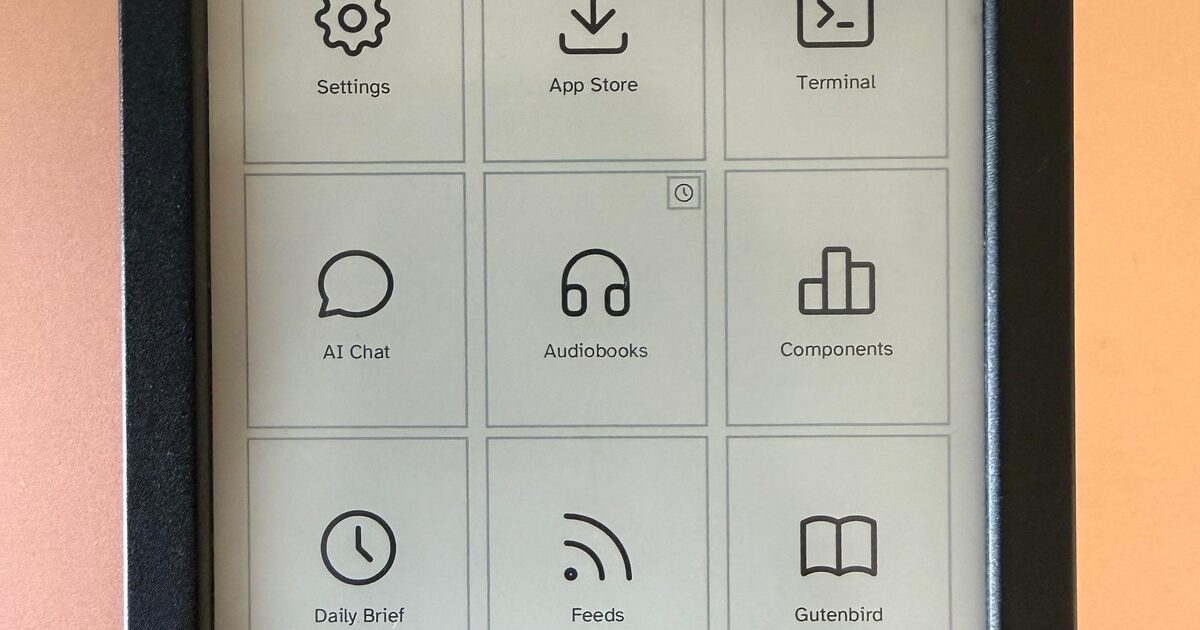
inkOS is different from other minimalist android launchers because it's optimized for e-ink, keypad and qwerty phones. Almost all of the interface is operable with D-pad, so touch input is optional. It removes all animations and replaces smooth scrolling with discrete, paged navigation, making it comfortable for users who are sensitive to motion and ideal for slow-refresh e-ink displays. To reduce distraction and app hopping, inkOS surfaces notifications directly on the launcher, letting you stay informed without constantly opening apps.
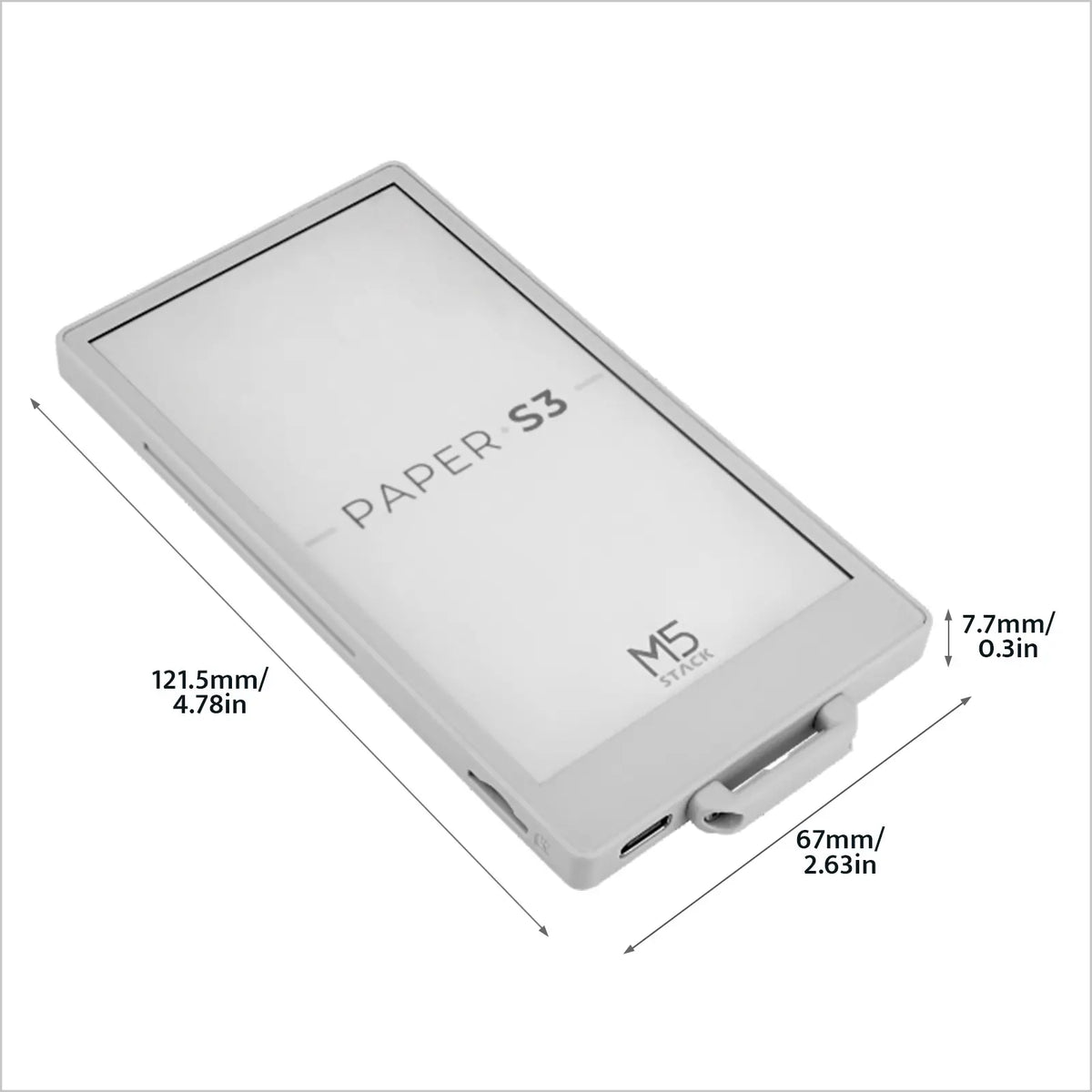
[EOL] M5PaperS3 ESP32S3 Development Kit (960x540, 4.7" eInk Display, 235 ppi)
PaperS3 is a uniquely designed low-power touch-enabled e-ink screen main control device launched by M5Stack. The controller uses the ESP32-S3. The front of the device is embedded with a 960 x 540 @ 4.7" (touch and screen integrated) e-ink display, supporting 16-level grayscale display. Paired with the GT911 capacitive touch panel, it supports two-point touch and various gesture operations. Compared to previous products, PaperS3 adopts a full-screen structure. Compared to ordinary LCD screens, e-ink screens not only provide users with a better text reading experience but also offer advantages such as low power consumption and image retention when powered off.
Phosphor Icons
A flexible icon family for interfaces, diagrams, presentations — whatever, really.
Inkwell — Reader & Writer for Standard.site on AT Protocol
A native reader and writer for the Standard.site publishing ecosystem on AT Protocol. Read, discover, and publish portable writing from your own PDS.
Cobalt: apps and an SDK for Kobo e-readers
A launcher, a signed App Store, a Rust SDK, and a capability-isolated runtime for the Kobo Clara BW.
Desktop Neo – rethinking the desktop interface for productivity.
The desktop computer hasn’t changed much in the last 30 years. It’s still built on windows, folders and mouse input. But we have changed. We now use smartphones and tablets most of the time, since they are much easier to use.The traditional desktop computer is struggling to adapt the simple interfaces of mobile devices while also keeping its focus on productivity. With people switching to mobile devices for mundane tasks, we have the opportunity to rethink the desktop computer with a focus on getting professional work done.
Atelier — Your work, in your hands
A transparent foundation preview for an open productivity suite spanning notes, mail, calendars, and tasks, powered by ATProto.
psf (@psf@oldbytes.space)
In their article ["Malleable Software"](https://www.inkandswitch.com/essay/malleable-software), Ink & Switch list various ways that modern software applications fail to serve the user: - Software is too rigid: users can’t tailor it to suit their workflow, except by entering the role of programmers. - Software applications are overspecialized "avocado slicers", not general tools like "knives", so their lack of tailorability is keenly felt. - Software doesn’t provide a reasonable learning curve from beginner to expert; in other words, time spent learning an application doesn’t unlock tailorability, instead the end user must learn an unrelated skill like a markup/scripting language or even the tool’s implementation language. - Software applications are increasingly siloed, so sharing data between apps, let alone orchestrating cross-app workflows, is overly difficult. These are real problems. From what I can tell, Ink & Switch are software researchers, and view the problems from a highly technical perspective, focusing on novel infrastructure that enables end-user programmability. They pose questions such as "how do we ease users into programming?" and "instead of shipping a dead, static binary, can we ship a living image containing programming tools allowing it to be modified in arbitrary ways while still running?" These ideas are technologically exquisite, but they fail to provide a gentle learning curve. (cont'd) 🧵
Atmos — A new space for your work
A platform for creatives to share, connect and explore — without noise.

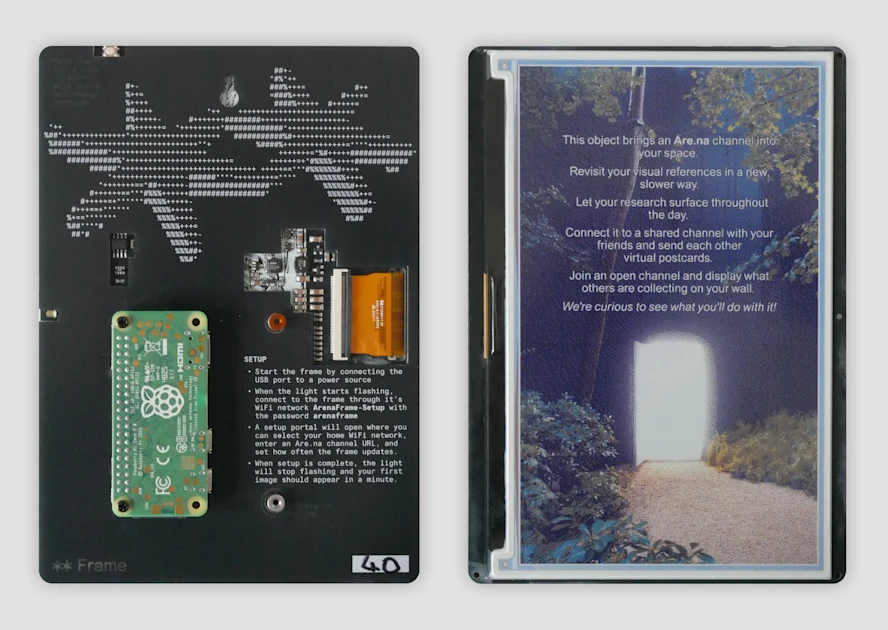
Introducing Are.na Frame, an Open-Source E-Ink Display for Channels | Are.na Editorial
An interview with physical technologist Kiran Scott de Martinville.
Dangerous Writing App
Dangerous Writing App. If you stop typing, all progress will be lost. Now with over 500+ writing prompts to choose from.
What Even Is An OS Now?
Computers now work the way I thought they did when I was 8. What does computing look like when most applications have an audience of 1-2 people? I'm leaving Fly.io to build a phone for that world.

Ratatui
Ratatui: Cook up delicious terminal user interfaces in Rust - the fast and lightweight TUI library trusted by developers
Carousels with CSS | Blog | Chrome for Developers
Support scroll experiences with navigation buttons and markers with just a few lines of CSS.